Your High-Converting Webinar Presentation Template
Transform your B2B marketing with a webinar presentation template designed to boost leads and streamline content creation. Learn our proven format.

A webinar presentation template is a standardised, pre-designed slide deck that serves as the blueprint for your B2B virtual event strategy. It's not just about aesthetics; it’s a strategic tool for establishing a consistent narrative structure, embedding your brand identity, and dramatically accelerating production timelines. For B2B SaaS marketing teams, a master template is the key to scaling your content strategy and demand generation efforts without compromising on quality.
A well-architected template ensures every webinar delivers a professional, on-brand experience that builds authority and, most importantly, drives measurable ROI.
Why Your B2B Strategy Demands a Master Template
For B2B SaaS marketing professionals, the pressure is relentless. You're tasked with generating a consistent stream of high-quality leads, but you're often constrained by limited resources and aggressive deadlines. This frequently creates a false choice between speed and professional quality.
This is precisely where a webinar presentation template transitions from a "nice-to-have" to a strategic imperative for operational efficiency.
Think of it as an architect's blueprint. An architect doesn't start from scratch with every building; they leverage proven frameworks. Similarly, a master template provides the foundational structure for every virtual event. This liberates your subject matter experts to concentrate on delivering high-impact insights—their core competency—rather than grappling with slide design and formatting.
Scaling Content While Ensuring Brand Consistency
A robust template is your primary defence against brand fragmentation. When multiple speakers or teams create their own slide decks, the result is often a chaotic mix of off-brand colours, inconsistent fonts, and haphazard logo placements, diluting your brand's professional image.
By pre-defining layouts, typography, colour palettes, and logo usage, you guarantee that every webinar reinforces your company's identity. This consistency is crucial for building trust and authority with your target audience of potential customers.
More importantly, it shatters the content production bottleneck. A well-designed master template can reduce slide creation time by up to 50%. This efficiency gain allows a lean marketing team to increase its webinar output, engage more prospects, and fuel the demand generation engine without a proportional increase in headcount or budget.
Mitigating Compliance Risk and Proving ROI
If you operate in a regulated sector like FinTech or HealthTech, compliance isn't just a suggestion—it's mandatory. A webinar template allows you to embed critical compliance elements from the outset. Pre-approved legal disclaimers, data citation formats, and other required disclosures can be built directly into the framework. This streamlines the internal review process, significantly cutting down approval times and accelerating your time-to-market.
A well-structured template isn't merely a design asset; it's a tool for operational efficiency and risk management. It transforms your webinar programme from a series of disjointed events into a measurable, scalable system for building thought leadership and driving tangible business growth.
Ultimately, this systematic approach directly impacts the metrics that matter to the business. By standardising production, you can reallocate resources towards optimising content for engagement and conversion. This focus leads to stronger MQL generation and a much clearer return on investment (ROI). With a solid template as your foundation, you stop merely hosting webinars and start building a strategic programme that delivers predictable, data-backed results.
See how Cloud Present can help you build this strategic foundation.
The Anatomy of a High-Converting Webinar Template
Let's move beyond theory. A webinar presentation template that actually converts leads isn't just a collection of branded slides; it's a meticulously engineered narrative sequence. For B2B SaaS marketers, this structure is less about creative expression and more about guiding an audience from passive interest to active consideration. Think of it as a strategic framework designed for engagement and, crucially, measurable outcomes.
Building this framework from scratch for every event is an inefficient use of your team's valuable time. A master template provides the core architecture, allowing your speakers to focus their expertise on the content itself, not on formatting slides. This approach systematically transforms your webinars from one-off events into a powerful, repeatable demand-generation engine.
Essential Slides for Your High-Converting Webinar Template
Here is a detailed breakdown of the essential slides that form the backbone of a high-performance webinar presentation template. Each slide is designed to seamlessly move the audience through the narrative, from the initial hook to the final call-to-action.
| Slide Type | Strategic Purpose | Key Elements to Include |
|---|---|---|
| 1. Title Slide | The virtual handshake. Instantly confirms attendees are in the right place and sets a professional tone. | Your company logo, a compelling webinar title, the date, and the speakers' names and titles. Keep it clean and visually striking. |
| 2. Housekeeping Slide | Manages expectations and minimises distractions by outlining the logistics right at the start. | Total duration (e.g., 45 mins content + 15 mins Q&A), confirmation of recording, and instructions on how to ask questions (e.g., via the Q&A box). |
| 3. The Hook Slide | Grabs immediate attention by tapping into a critical pain point or a compelling opportunity. Why should they care? | A powerful statistic, a provocative question, or a bold statement. Example: "What if you could cut compliance reporting time by 30%?" |
| 4. Speaker Intro Slide | Establishes credibility and authority, making the audience trust the information they're about to receive. | Professional headshots, concise bios highlighting relevant expertise, and social media handles (like LinkedIn). Avoid long paragraphs. |
| 5. Agenda Slide | Provides a clear roadmap for the presentation, showing the audience that their time will be respected and well-spent. | A simple bulleted list outlining the key sections you'll cover. This sets expectations and shows a logical flow. |
| 6. Core Content Slides | The heart of the webinar. Delivers value, educates the audience, and showcases your firm's expertise. | A mix of data visualisations (charts, graphs), case studies (Problem > Solution > Results), and conceptual frameworks (diagrams, flowcharts). |
| 7. Key Takeaways Slide | Reinforces the most important messages before you make your ask, summarising the value delivered. | A simple slide with 3-5 bullet points recapping the main insights. This primes the audience for the call-to-action. |
| 8. Call-to-Action Slide | The most critical slide. Drives a specific, desired action and converts engagement into a tangible business outcome. | A singular, direct command (e.g., "Book a Demo," "Download the Report"). Include a clear button/link and articulate the value of taking action. |
| 9. Q&A Slide | Creates a professional backdrop for audience interaction while keeping your brand visible. | A clean slide with "Q&A" or "Questions?" and your speakers' contact information or social handles. |
| 10. Thank You Slide | Ends the webinar on a polished, professional note and offers one final chance for attendees to take the desired action. | A simple "Thank You," a final reminder of the CTA, and a link to further resources or the recording. |
By building these ten slide types into a master template, you create a repeatable system that ensures every webinar is structured for success, regardless of the speaker or topic.
Setting the Stage: The First Five Slides
The opening moments of your webinar are critical. You have a very small window to convince attendees to stay engaged rather than checking their email. Your template must ensure these first few slides are executed flawlessly every time.
-
The Title Slide: This is your virtual handshake. It should be visually sharp, featuring your company logo, the webinar title, the date, and your speakers' names. Its sole purpose is to instantly reassure attendees: "You're in the right place."
-
The Housekeeping Slide: Quickly outline the logistics. Mention the duration (e.g., 45 minutes of content, 15 minutes for Q&A), confirm the session is being recorded, and provide clear instructions for submitting questions. This simple step pre-empts common queries and manages audience expectations.
-
The Hook Slide: Now, capture their attention. Why should they invest the next hour with you? Lead with a powerful statistic, a provocative question, or a bold statement that directly addresses a major pain point. A SaaS firm targeting finance teams, for instance, could open with, "What if you could reduce your monthly close time by 40%?"
-
The Speaker Introduction Slide: You must establish credibility quickly. This slide should feature professional headshots and concise bios that highlight relevant expertise, not their entire career history. Including LinkedIn handles is a good touch. The objective is to position your speakers as trusted, authoritative voices on the subject.
-
The Agenda Slide: Present a clear roadmap. A simple bulleted list outlining the key sections demonstrates a respect for the audience's time and shows them exactly what to expect.
The infographic below highlights why a standardised webinar presentation template is so powerful for your workflow, ensuring every event launches with this strong, strategic foundation.
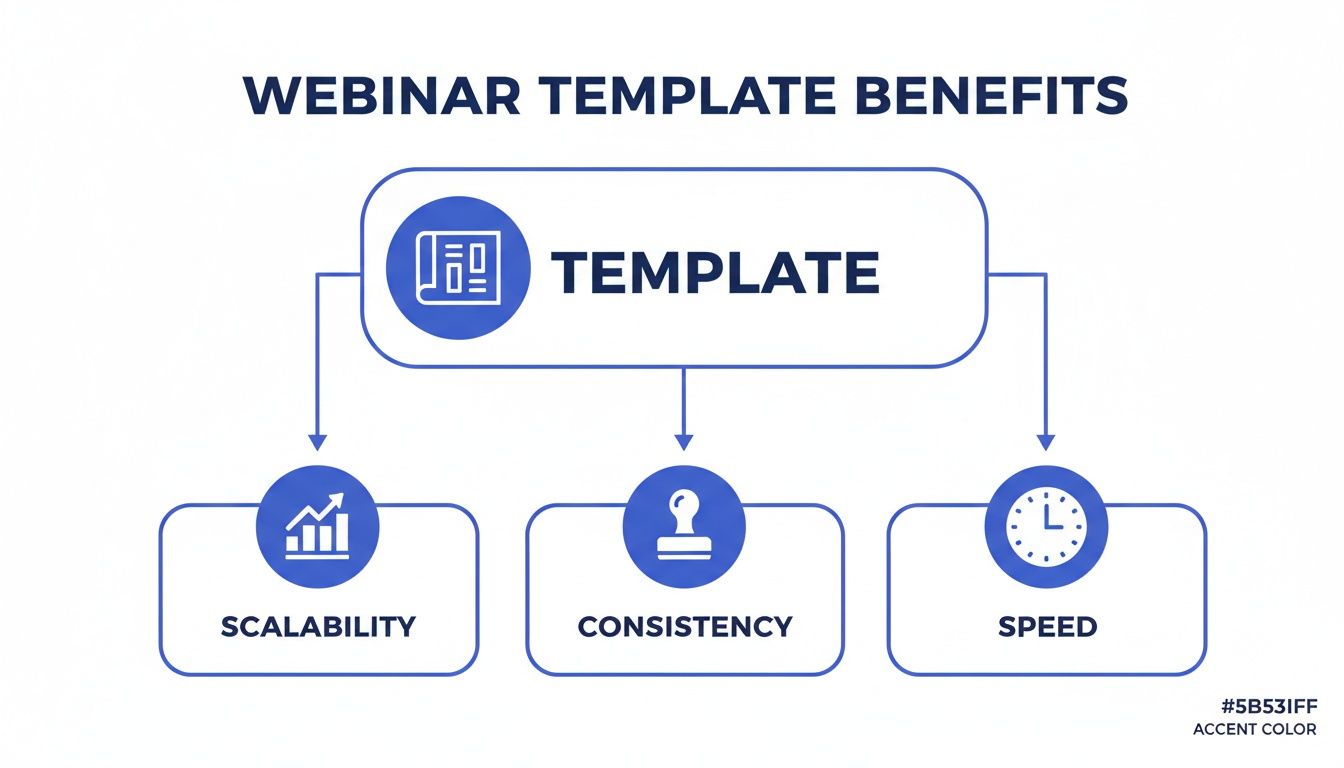
As you can see, a single template becomes the blueprint for scaling up your webinar programme, maintaining brand consistency, and accelerating production across your entire team.
Delivering Value: The Core Content Section
With the stage set, the core of your webinar is about delivering on the promise made in your hook. This is where you solve problems, share valuable insights, and demonstrate your expertise. Your template should provide several versatile layouts that can accommodate different types of information while maintaining brand cohesion.
A common mistake is to overload slides with text, turning them into a teleprompter. Your template should enforce a 'less is more' philosophy. Slides should support the speaker, not serve as a script for them to read.
Your core content section requires a few key layouts:
- Data Visualisation Slides: Include pre-formatted templates for charts, graphs, and tables using your established brand colours. For example, a slide designed to showcase customer ROI should have a clean bar chart layout with a prominent text box to emphasise the key takeaway, such as "Client A achieved a 250% increase in qualified leads in Q1."
- Case Study Slides: A structured Problem > Solution > Results format is essential for telling compelling customer success stories. This makes it easy for presenters to input their content and for the audience to quickly grasp the impact of your solution.
- Conceptual Framework Slides: Use simple diagrams, flowcharts, or numbered lists to break down complex processes or strategies. These visual aids make abstract concepts more tangible and memorable.
Driving Action: The Concluding Slides
The final section of your webinar is where you convert engagement into tangible business outcomes. A well-designed template makes this transition seamless and powerful, leaving no ambiguity about the next step you want the audience to take.
Your closing sequence must be logical and persuasive.
-
Key Takeaways Summary: Before you present your call-to-action, briefly remind the audience of the value you've delivered. A simple slide with three to five bullet points summarising the main insights reinforces your message and primes them for the next step.
-
The Call-to-Action (CTA) Slide: This is arguably the most important slide in the deck. It must be direct, clear, and focused on a single action. Whether it’s "Book a Demo," "Download the Whitepaper," or "Start Your Free Trial," the CTA should be unmistakable, with a prominent button or link. Articulate the value of the action: "Book a 15-minute demo and receive a personalised ROI analysis valued at US$500."
-
Q&A Slide: Use a clean, branded slide with "Q&A" or "Questions?" along with your speakers' contact details. This maintains a professional backdrop during audience interaction, keeping your brand front and centre.
-
Thank You & Next Steps Slide: Your final slide should thank attendees for their time and provide one last reminder of the CTA or a link to additional resources. This is your final opportunity to drive the desired action.
By structuring your webinar presentation template around this anatomy, you build a repeatable system for producing professional, high-impact events. This strategic approach, which is central to the Cloud Present end-to-end service, ensures every webinar you produce is optimised for engagement and lead generation from start to finish.
Ensuring Brand Consistency and Compliance at Scale
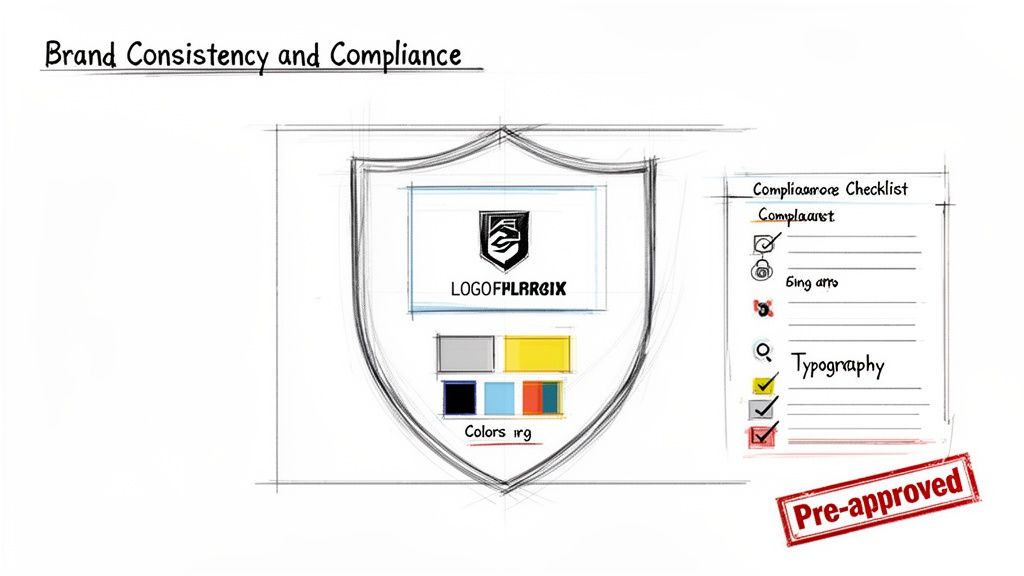
In the B2B SaaS world, your brand is a direct reflection of your credibility. Every touchpoint, from a sales email to a webinar, is an opportunity to either build trust or see it erode. A master webinar presentation template acts as the guardian of your brand's integrity, ensuring consistency and professionalism as you scale your content operations.
When every team member starts from the same approved blueprint, brand consistency ceases to be an aspirational goal and becomes an operational reality. You are no longer policing individual presentations; you are providing a framework that makes staying on-brand the path of least resistance.
Embedding Your Visual Identity
A powerful template does more than just place a logo on a slide. It integrates your entire visual identity into the DNA of every presentation, creating a cohesive and professional experience that reinforces your company's authority.
This means hard-coding your brand guidelines directly into the master file.
- Logo Placement and Usage: Define non-negotiable rules for logo size, clear space, and placement—for instance, always in the top-right corner. This simple rule prevents the stretched, distorted, or awkwardly placed logos that can instantly undermine a presentation's professionalism.
- Corporate Colour Palette: Lock in your primary and secondary brand colours for all elements, from backgrounds and text to data charts and graphs. This eliminates the use of off-brand colours that create a disjointed and unprofessional visual experience.
- Typography Standards: Specify the fonts, sizes, and weights for headings, subheadings, and body text. This maintains a consistent visual hierarchy and ensures optimal readability on all devices.
- Approved Imagery Style: Include placeholder slides with clear guidance on the appropriate style of imagery, whether it's custom illustrations, photos of your product in action, or pre-approved stock photography.
By centralising these elements, you empower your subject matter experts to create content that is instantly recognisable as yours, without requiring a designer's review for every presentation. For already stretched marketing teams, this represents a significant efficiency gain.
Mitigating Risk Through Standardised Compliance
For SaaS companies in regulated industries like FinTech, HealthTech, or LegalTech, compliance is non-negotiable. A single misstep in a public-facing webinar can pose significant reputational and financial risks. Your webinar presentation template is a powerful tool for proactive risk management.
Instead of relying on individual presenters to remember to include complex legal disclaimers, you can build compliance directly into the template's structure.
A template-driven workflow transforms compliance from a final, often-delayed hurdle into an integrated part of the content creation process. This simple shift can dramatically accelerate your content pipeline while providing invaluable peace of mind for your legal and compliance teams.
Implementation is straightforward. A FinTech company can include a pre-approved disclaimer slide regarding forward-looking statements. A HealthTech firm can have a standardised slide for citing clinical data sources, ensuring adherence to regulatory standards. For those managing large-scale programmes, understanding the infrastructure that powers enterprise webinar success is key to upholding these standards across the board.
This approach delivers a measurable return. By standardising compliance elements, companies often see a dramatic reduction in the time spent on legal reviews, sometimes cutting approval cycles from weeks to just days. This efficiency, driven by a simple webinar presentation template, helps you get timely, compliant content to market faster, turning a potential liability into a strategic advantage. Platforms like Cloud Present are built to support this kind of workflow, ensuring every webinar is not only on-brand but also fully compliant.
From Template to Broadcast-Quality Webinar Production
A brilliant webinar presentation template is the architectural blueprint for your content. It provides the structure, but it is the production quality that transforms those plans into a polished, broadcast-ready asset that commands audience attention. The gap between a good slide deck and an exceptional virtual event is closed by deliberate production choices.
This transformation begins by optimising your template for the screen. Every slide must be designed for a 16:9 aspect ratio, the universal standard for modern displays. This fundamental step prevents distracting black bars and ensures your content fills the screen professionally. High-contrast visuals are also non-negotiable; what appears clear on a designer's monitor can easily become illegible after video compression and on varying audience screen qualities.
Finally, a professional template accounts for the human element. Layouts must be designed with a speaker video overlay in mind. This means strategically allocating space—typically in a corner—so the speaker’s video feed doesn't obscure critical data, headlines, or diagrams. It's a simple detail that is frequently overlooked.
Partnering for Professional Production
While a well-designed template is foundational, achieving true broadcast quality often requires an expert production workflow. For lean B2B marketing teams, partnering with a production specialist is a strategic advantage. An end-to-end service moves beyond simply hitting 'record' to deliver a seamless, high-calibre experience that reflects positively on your brand.
A browser-based platform like Cloud Present simplifies the initial recording, allowing your subject matter experts to capture high-quality video and audio without wrestling with complex software. However, the real value is realised in post-production.
Accelerating Your Content Pipeline
An expert production partner manages all the technical heavy lifting, transforming raw footage into a polished asset ready for distribution. This service typically includes:
- Professional Editing: Cleaning up audio, colour correcting video, and seamlessly integrating your branded slides, intro/outro sequences, and speaker overlays.
- Branded Overlays: Adding custom lower thirds with speaker names and titles to reinforce your brand's visual identity throughout the presentation.
- Accurate Transcriptions: Generating precise transcripts is essential not only for compliance but also for incorporating accessibility features and content repurposing.
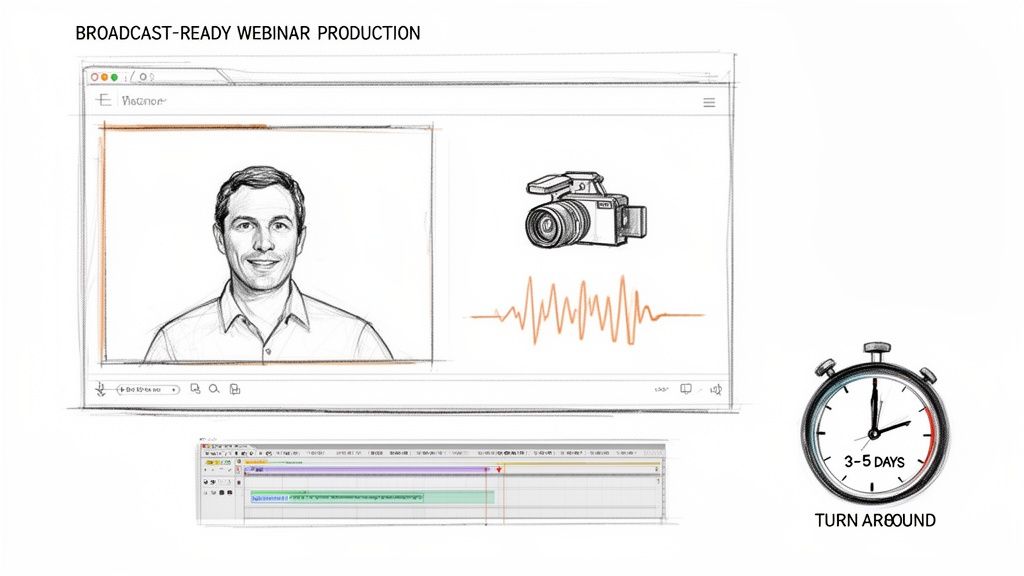
By outsourcing production, you're not just saving time; you're investing in speed and agility. An expert workflow can enable a remarkable 3-5 day turnaround from recording to final asset delivery. This allows your team to be far more responsive to market trends and customer needs.
This accelerated timeline ensures your content is published while it is still timely and relevant. A broadcast-quality production also demonstrates a commitment to inclusivity by incorporating features like captions, extending the reach and impact of your message to a wider audience.
Ultimately, combining a master webinar presentation template with a professional production service creates a powerful, repeatable system. It guarantees every virtual event meets the highest standards of quality and professionalism, freeing your content team to focus on strategy and promotion, not technical troubleshooting.
Maximising Your Webinar ROI with Content Repurposing
A high-quality webinar is a content asset, not a one-off event. For resource-constrained B2B marketing teams, the true ROI is realised not just during the live session, but in its potential to fuel your content calendar for weeks or even months. When you view your webinar as the central pillar of a multi-channel campaign, you begin to unlock its full value.
This strategic process begins the moment you design your slide deck. By building your webinar presentation template with repurposing in mind from day one, you are essentially creating a goldmine of future content. Each key data slide, expert quote, or conceptual framework should be seen not just as part of a presentation, but as a standalone piece of micro-content waiting to be deployed.
Building a Repurposing Engine from Your Template
A smart content repurposing strategy can transform a single 60-minute webinar into more than a dozen distinct marketing assets. This approach directly addresses the challenge of maintaining a consistent content output, allowing you to sustain momentum long after the live event concludes.
Here is a practical implementation plan for turning one webinar into a demand generation engine:
- Key Data to Social Graphics: Each slide featuring a compelling statistic (e.g., "customers report a 40% increase in efficiency") can be transformed into a visually striking graphic for LinkedIn. Using your template’s branding ensures consistency.
- Core Sections to Blog Posts: A 10-minute segment that provides a deep dive into a specific topic is the foundation for a detailed, 1,200-word blog post. The webinar transcript provides an excellent starting point, saving hours of writing time.
- Short Video Clips for Nurture Sequences: Extract the most impactful 30-60 second clips from the recording—a powerful insight or a well-articulated answer from the Q&A. These are ideal for use in email nurture sequences to re-engage leads.
- Full Transcript to Gated Lead Magnet: Package the polished transcript and slides into a downloadable PDF guide. This creates a new lead magnet for your website, capturing demand from prospects who missed the live event.
By planning for these outputs from the start, your webinar stops being a single activity and becomes the centrepiece of an entire campaign. An end-to-end production partner like Cloud Present can build this repurposing workflow directly into your service, delivering these assets alongside your final webinar recording.
This methodology is particularly effective in competitive B2B markets where establishing thought leadership is key. By using a superior webinar presentation template and a robust repurposing strategy, SaaS firms can significantly amplify their voice and market presence.
Measuring the ROI of Repurposed Content
To demonstrate the long-term value of your webinar programme, it's essential to connect each repurposed asset to a specific success metric. This isn't just about creating more content; it's about driving measurable business outcomes across multiple channels.
Here are some examples of what this looks like in practice:
| Repurposed Asset | Primary Distribution Channel | Key Success Metric | Example Goal |
|---|---|---|---|
| Social Media Video Clip | LinkedIn, X, Instagram | Engagement Rate, Website Clicks | Achieve a 3% engagement rate on a LinkedIn video post. |
| Detailed Blog Post | Company Blog, SEO | Organic Traffic, Lead Conversions | Generate 20 new MQLs from the gated asset in the post. |
| Infographic | Social Media, Email Newsletter | Shares, Brand Mentions | Earn 50+ shares on LinkedIn to expand reach. |
| Downloadable PDF Guide | Landing Page, Website | New Lead Acquisition | Capture 100 new MQLs within the first quarter. |
This data-driven approach demonstrates how a single investment in a high-quality webinar can deliver a sustained return. Each piece of repurposed content extends the life of your original message, engaging different audience segments across various platforms. To truly maximise your efforts, dive deeper into smart content repurposing strategies that can extend the life and reach of your core assets.
By integrating this thinking into your workflow, every webinar becomes a powerful and efficient content multiplier. Check out our in-depth guide for more tips on how to turn one webinar session into 10+ marketing assets.
Common Webinar Template Questions Answered
Even with a robust strategy, practical questions will arise when implementing a new webinar presentation template. Here, we address some of the most common queries from B2B marketing teams to help you navigate potential hurdles and maintain momentum.
Consider this your quick-reference guide for ensuring your template becomes a dynamic, valuable asset, not just another file on a shared drive.
How Often Should We Update Our Template?
Your master webinar presentation template should undergo a formal review annually, or whenever your company executes a major brand refresh. Changes to your logo, corporate colour palette, or core value proposition necessitate an immediate update to the template.
It is also best practice to make minor updates as needed based on new compliance requirements or audience feedback. For example, if data shows that audiences find a particular slide format confusing, that layout should be refined. The core structure should remain consistent for efficiency, but the template must be flexible enough to accommodate small content adjustments on a per-webinar basis. The goal is to strike a balance between consistency and relevance.
What Is the Ideal Webinar Length?
For the time-poor B2B professionals you are targeting, the optimal length for a live virtual event is 45-60 minutes in total. This typically breaks down into 30-40 minutes of high-value presentation content, followed by 10-15 minutes dedicated to a live Q&A session.
A well-structured webinar template is instrumental here. It helps presenters pace their content effectively, ensuring they deliver maximum value without exceeding the allotted time and causing audience drop-off. For B2B audiences, respecting their schedule is paramount.
For on-demand content or highly technical deep dives, shorter formats can be more effective. Punchy 15-20 minute modules are often better for maintaining engagement.
Can One Template Serve Different Webinar Types?
Absolutely—it should. A well-designed master template is engineered for flexibility and should serve as the foundation for all your webinar formats. The implementation strategy involves creating a core set of non-negotiable branded slides—such as the title slide, agenda, speaker intros, and call-to-action—that appear in every presentation to maintain brand consistency.
From that core, you build out layout variations within the same template to suit different content types:
- Thought Leadership: Prioritise layouts that feature data visualisations, insightful quotes, and conceptual diagrams.
- Product Demos: Include slide layouts specifically designed for annotated screenshots and feature call-outs.
- Case Studies: Utilise a standardised Problem-Solution-Results layout that tells a clear, compelling, and repeatable story.
This approach ensures unwavering brand consistency while empowering your subject matter experts to present diverse types of content effectively. A single template becomes a versatile and efficient powerhouse for your entire virtual event strategy.
Ready to build a webinar programme that delivers consistent, broadcast-quality results? Cloud Present acts as your outsourced production studio, transforming your expertise into polished, lead-generating assets. Discover our end-to-end webinar service.